
Your WordPress Site Can Be Fully Updated and Still Vulnerable
A PHP vulnerability can put a law firm website at risk before disclosure. Learn how to verify the patch and investigate activity dating back to Oct. 17.
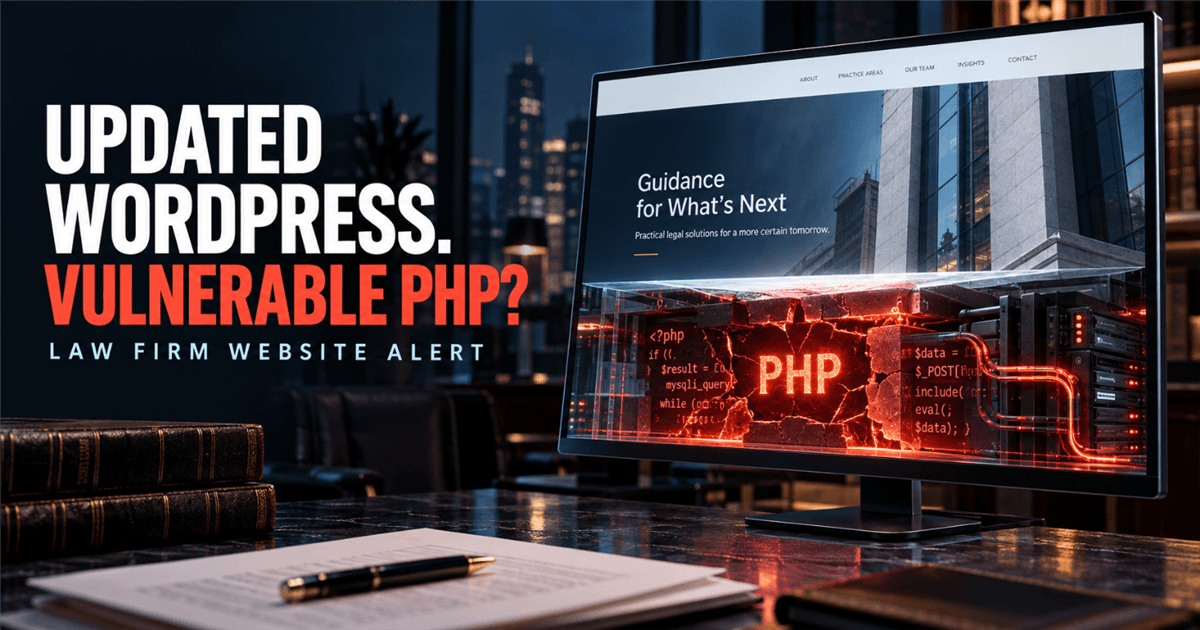
Your WordPress Site Can Be Fully Updated and Still Vulnerable
Your website provider may truthfully say that WordPress, its theme, and every plugin are current.
That does not prove that the software underneath the website has been patched.
On October 21, 2026, the PHP project released security updates for two critical vulnerabilities: CVE-2026-109618 and CVE-2026-109619. Both can allow unauthenticated remote code execution on affected servers.
PHP runs WordPress and many other website platforms. This is therefore an ownership question for every law firm with a public website:
To see whether your domain reveals public PHP clues, request the Free Zero-Access Exposure Review™. It checks public website signals only; it cannot confirm the server's installed PHP version, patch status, or whether anyone accessed the site.
What happened?
The PHP project published corrected releases for four supported branches:
| PHP branch | Corrected release |
|---|---|
| PHP 8.5 | 8.5.12 |
| PHP 8.4 | 8.4.27 |
| PHP 8.3 | 8.3.36 |
| PHP 8.2 | 8.2.35 |
The vulnerabilities affect the PHP runtime, which processes web requests before the website application handles them. A vulnerable server may be at risk even if its WordPress core, theme, and plugins are current.
The PHP project describes both flaws as serious and recommends updating to a corrected release. PHP's published configuration changes are temporary mitigations, not substitutes for a fix.
Why updating WordPress is not enough
WordPress is the application a site owner sees. PHP is the engine the server uses to run it.
They are maintained separately.
A developer can update WordPress core, themes, and plugins without changing the server's PHP installation. In many hosting arrangements, only the hosting company or server administrator can install a PHP update.
Security researchers have called the combined attack technique "PHP2Shell." Researchers reported unauthenticated code execution against multiple PHP applications, including current releases of WordPress, Drupal, Joomla, Magento, Nextcloud, and others. The weakness is in the PHP engine, not in one particular application. Sansec's technical analysis describes the research.
That distinction matters because a PHP vulnerability on a law firm website can remain even when a provider says WordPress is fully updated. The statement may be accurate but incomplete.
What could an attacker do?
Remote code execution may let an attacker run commands with the permissions available to the website's PHP process. The consequences depend on the server configuration, the information it can access, and whether other systems share the hosting environment.
A successful attack could potentially allow an intruder to:
- Change the firm's phone number, email address, or payment instructions
- Redirect prospective clients to an impersonation or malware site
- Add a fraudulent login, payment, or document-upload page under the firm's domain
- Access information retained by contact or client-intake forms
- Obtain credentials stored in website configuration files
- Use the server to send spam, host malicious files, or reach other systems
These are potential consequences of server access. They are not evidence that a particular law firm was attacked or that every PHP website was compromised.
PHP2Shell exploitation attempts began before public disclosure
Amazon Threat Intelligence reported that its MadPot honeypot recorded a PHP2Shell exploit attempt on October 17, four days before public disclosure of CVE-2026-109618 and CVE-2026-109619. Amazon also recorded additional attempts from anonymized infrastructure on October 21. It says proof-of-concept exploits appeared within hours after public release and were used against its sensors almost immediately, followed by broad exploitation attempts. Amazon says it remains unclear whether the observed attempts would have succeeded against real systems. Read Amazon's threat-intelligence report.
This report does not prove that a law-firm website was attacked or compromised. CISA's October 21 alert said it had not observed exploitation at the time it was published; that is a separate observation and does not rule out activity seen by other sensors. CISA urges organizations to inventory PHP, patch internet-facing systems, and monitor for suspicious activity. Read CISA's alert.
Later technical analysis added important nuance: the PHP advisory for CVE-2026-109618 describes susceptibility that can depend on the server API and request-processing configuration, while the advisory for CVE-2026-109619 requires particular operations to leave and later reuse stale state. Sansec's October 22 update said public proof-of-concept exploits depended on target-specific conditions and did not work against a default PHP installation. That does not make an unpatched installation safe or change the need to update. It means a visible PHP version alone cannot establish that a particular website is exploitable.
If a public application was running an affected, unpatched PHP build, start the investigation period at least on October 17—not on the disclosure or patch date. Review the relevant logs and systems for signs of unauthorized activity, even after the PHP update is verified.
A web application firewall may reduce some attack paths while a firm patches, but it is not a complete fix. AWS says patching is the only complete remediation; WAF protections have limits and do not replace updating PHP. Review AWS's WAF mitigation guidance.
Law-firm leaders should separate three questions:
1. Is PHP visible?
An outside review may identify a website or clues about its technology. It may not reliably reveal the exact PHP version running behind the site.
Visibility tells the firm what to investigate. It does not establish vulnerability.
2. Is the website vulnerable?
That requires confirming that an internet-facing application processes web requests through an affected, unpatched PHP runtime or vendor package. The vulnerable request-processing code may be reachable even when an administrative login page is not exposed. Ask the provider for the installed package or build, its source, the update date, and confirmation that the corrected service is running. A vendor may backport security fixes without changing the upstream version string, so a version scanner alone may not show whether the fix is present.
An affected, unpatched installation establishes vulnerability. It does not establish compromise.
3. Was the website compromised?
That requires evidence such as suspicious requests, unexpected files, unfamiliar accounts, altered content, unusual server processes, or suspicious outbound connections. Internet probing alone does not establish that an attacker gained access.
The WordPress activity log alone may not be enough. The hosting provider may need to review web-server, PHP, operating-system, firewall, and file-integrity evidence.
Eight questions to send your website provider today
Do not ask only, "Is WordPress updated?" Send these questions in writing:
- Does any website, intake form, portal, staging site, or other application associated with our firm use PHP?
- What exact PHP version is currently running for each application?
- Has each installation been updated to PHP 8.5.12, 8.4.27, 8.3.36, 8.2.35, or a vendor package/build confirmed to contain the same fixes?
- If any server uses an older PHP branch, who provides its security fixes, and do those fixes address these vulnerabilities?
- When was the corrected package installed, and were all PHP workers or services restarted afterward?
- Are any development sites, abandoned subdomains, or older applications running on a separate PHP installation?
- If an internet-facing application was vulnerable, what logs, files, processes, accounts, and outbound connections have been reviewed for suspicious activity dating back to at least October 17, 2026?
- Are other customers or applications hosted within the same account or server environment?
Ask for the version number, package identifier, vendor security notice, change record, or provider confirmation that supports the answer. A distribution or hosting provider may backport a fix without changing the upstream PHP version string, so do not rely on a version scanner alone. "Automatic updates are enabled" is not evidence that this specific update was applied.
What if your firm uses managed hosting?
Managed hosting can reduce the amount of server administration your firm performs. It does not eliminate the need to verify who is responsible.
The provider may have installed the update automatically. It may also be waiting for a distribution package, maintaining an older PHP branch under a support arrangement, or expecting the customer to select a new PHP version through a control panel.
Request written confirmation for your firm's specific hosting account. A general status-page statement may not cover a separately managed server, legacy application, staging environment, or custom hosting plan.
If the provider cannot install a corrected or vendor-patched build immediately, ask what access restrictions or temporary isolation it recommends. For a nonessential legacy application, temporarily removing public access may be safer than relying on an incomplete workaround.
Treat any mitigation as temporary until the PHP runtime is corrected.
Do not forget the website no one remembers
The main website may receive immediate attention. A greater risk may sit elsewhere:
- An old site left online after a redesign
- A staging or development subdomain
- A former attorney's microsite
- A recruiting or event-registration page
- A client-intake application hosted separately
- A vendor-built portal maintained under a different account
- An archived blog that still runs PHP
These systems may use different hosting providers and PHP versions. The firm needs an inventory of its public web properties, not just confirmation about its homepage.
What law-firm leadership should document
The managing partner does not need to become a PHP administrator. The firm does need a record showing:
- Which public applications were checked
- Who owns and maintains each application
- Which PHP versions were found
- When corrected or vendor-patched builds were installed
- What temporary protections were used, if any
- What evidence was reviewed for signs of exploitation
- Who will verify future server-level security updates
This turns "our web company handles it" into an answer the firm can evaluate later.
How to verify the finding
The Free Zero-Access Exposure Review includes a passive PHP check of the public homepage and, when no PHP clues appear there, its `/index.php` path. It looks for advertised versions and PHP-related website clues. It does not send exploit payloads, log in to hosting accounts, inspect server configuration, confirm a PHP patch, or determine whether exploitation occurred.
Use public findings as a starting point for a provider conversation, not as proof that a PHP runtime is vulnerable or safe. The hosting provider or server administrator must verify the version and corrected build.
A hidden version is not a clean bill of health. WordPress assets may also appear on a static site that no longer runs PHP. The report treats those clues as questions for the provider, not confirmed vulnerabilities. This check does not inspect every portal, application, or subdomain associated with the firm.
For a broader, documented review of security responsibilities and evidence, the Law Firm Security Baseline helps the firm verify controls and ownership across its environment.
Frequently asked questions
Does this vulnerability affect every WordPress website?
Every WordPress website depends on PHP, but identifying WordPress does not establish the server's exact PHP build or patch status. The hosting provider or server administrator must verify the runtime and its vendor-supplied fixes.
Will updating WordPress fix the PHP2Shell vulnerabilities?
No. These vulnerabilities are in PHP itself. WordPress, theme, and plugin updates do not replace the server's PHP runtime.
Do these vulnerabilities require a stolen password?
The vulnerabilities are described as permitting unauthenticated remote code execution. A WordPress or hosting account is not necessarily required.
Does a vulnerable PHP version mean the firm was hacked?
No. Vulnerability and compromise are different findings. Compromise requires supporting log, file, network, or forensic evidence.
Can a web application firewall solve the problem?
A firewall may block some attack patterns and reduce exposure temporarily, but AWS cautions that its coverage has limits. It does not replace the PHP update, which is the only complete fix.
What should a firm do if its provider cannot patch immediately?
Ask the provider to restrict or isolate the affected application and explain the temporary controls in place. If the application is nonessential, taking it offline until a corrected PHP build is available may be appropriate.
Related reading
- Law Firm WordPress Security: What Two Exploited Flaws Mean for Your Website
- What Is External Attack Surface Management (EASM) for a Law Firm?
- Law Firm Cybersecurity Requirements: What to Verify
- Attorney Incident Response: Your First 72-Hour Playbook
Sources
- PHP 8.5.12 security release
- PHP 8.4.27 security release
- PHP 8.3.36 security release
- PHP 8.2.35 security release
- PHP2Shell technical analysis, Sansec
- Amazon Threat Intelligence: PHP2Shell exploitation before public disclosure
- AWS WAF mitigation guidance for PHP2Shell
- CISA alert: Critical vulnerabilities in PHP require immediate patching
- Government websites go dark as software flaw sparks security scramble, Reuters
- CERT-EU Security Advisory 2026-018
The immediate takeaway
A green "WordPress is up to date" message does not answer today's most important website-security question.
Ask who maintains PHP. Obtain the exact version. Confirm the corrected build. Check every public application, not just the homepage, and retain the evidence.
Your firm does not need to assume it was compromised. It should be able to show that vulnerable software is no longer running.
Start with the Free Zero-Access Exposure Review to see what can be observed publicly, then ask your provider to verify the server-side patch.